Using meio to debug Merry [weekly-2026-w23]
During a large rewrite of Merry, I introduced a regression causing certain shell programs to hang indefinitely. I thought it might be a good opportunity to try out Meio.
First, let's look at a trace of Meio from some real-world programs. For example: meio -- msh -c "sleep 100".
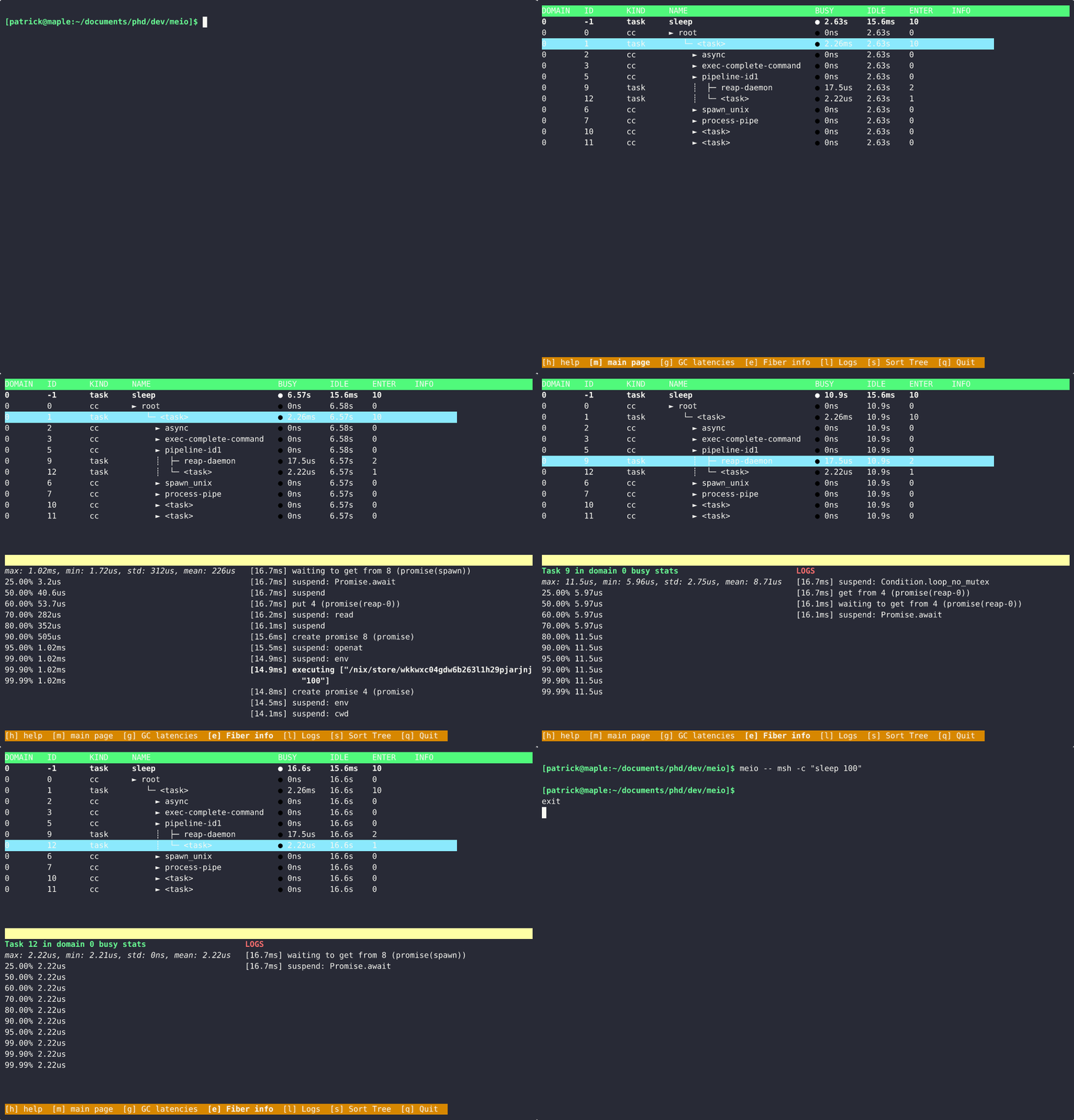
One problem that comes up immediately from this example is that the tree hierarchy of tasks and cancellation contexts makes it tricky to reason about the logging. Here, we can see the pipeline's cancellation context clearly labelled pipeline-id1. This is an Eio.Switch.t for the pipeline sleep 100. The actual execution log for sleep 100 bubbles back up to the main fiber (that has no name, so it is called <task>). The daemon fiber, for ensuring the spawned process is reaped, is attached to the switch and is displayed below it.
Meio has a long way to go. Most programs are too fast to be monitored in this way. Using something like tokio-console's model might be a better idea here focusing less on the tree strucuture of the program, and more on the performance and monitoring of individual tasks. Without this, it turns out Meio was not all that useful for debugging this specific issue (which ended up being some bad pipe management on my part).